
Cards
How to Pay for a Patreon Subscription from Russia
#service-payments
Patreon does not accept Russian bank cards. Neither Visa nor Mastercard issued in Russia pass the payment stage. However, you can still support your favorite creators — using a virtual card that is topped up with cryptocurrency. In this article, we'll explain why standard methods don't work and show you step by step how to pay for a Patreon subscription through the Heleket virtual card.
Why Russian Cards Don't Work with Patreon
International payment systems Visa and Mastercard have stopped processing transactions from cards issued by Russian banks. This means that any attempt to pay for a foreign service with such a card ends in rejection — not due to the bank's fault or Patreon's fault, but at the payment infrastructure level.
Patreon additionally checks the country of card issuance through the BIN — the first digits of the card number. If the BIN belongs to a Russian bank, the payment is blocked before processing. Patreon's system also rejects transactions if the card's country doesn't match the payment profile.
PayPal doesn't help either. The service requires linking a bank card and checks the country of its issuance. Without a foreign card, Russian PayPal won't allow payment to Patreon.
The working option is to use a card issued outside Russia. Virtual cards from foreign payment services solve this problem.
Comparing Payment Methods: Virtual Card and Alternatives
Russian users usually choose one of four paths to pay for Patreon. Each has its pros and cons.
Intermediary services pay for the subscription on your behalf. You transfer rubles, the intermediary processes the payment with their card. Simple, but expensive, because the commission sometimes reaches 20–30% of the amount. With a $10/month subscription, you overpay $2–3 each time. Over a year, that adds up to a significant amount.
A foreign bank card is a reliable but complicated method. You need to open an account at a bank in another country, which requires travel, documents, and time. Suitable for those who travel abroad frequently or have dual citizenship.
Help from friends abroad works, but depends on another person. Not everyone has this option, and asking for a favor every month is inconvenient.
A virtual card is the optimal balance between simplicity and cost. The card is issued online in a few minutes, without travel or documents. Top up with cryptocurrency, pay on Patreon like a regular card. Commissions are lower than intermediaries, and you maintain control over payments.
How the Heleket Virtual Card Helps
Heleket offers a convenient tool to solve the problem of international payments — virtual dollar cards that are topped up with cryptocurrency. These cards work anywhere that accepts Visa or Mastercard, which means they're suitable for Patreon and any other foreign services.
How It Works
A Heleket virtual card is a full-fledged bank card in digital format. You top it up with cryptocurrency, and funds are credited in dollars. The conversion rate is fixed at the time of the transaction, so you always know exactly how much will be on the card.
17 popular cryptocurrencies are available for topping up, including Bitcoin, USDT, Ethereum, and others. The full list can be viewed on this page.
Why It's Convenient
The entire process from registration to receiving a working card takes literally a couple of minutes. You don't need to go through complex verification, provide document scans, or wait for application approval. Just register on the platform — and the card is ready to use.
As for conditions, issuing a card costs $5, the top-up commission is 3.5%, and the minimum balance for issuance is $20. Detailed conditions are always available in your personal account after registration.
How to Get a Heleket Virtual Card
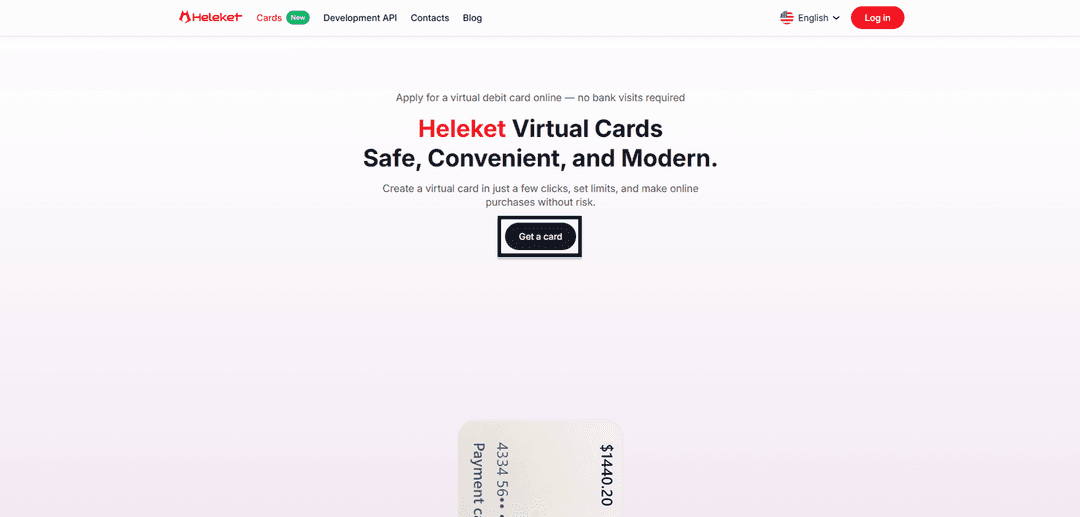
- Go to the virtual cards section, then click "Get Card."
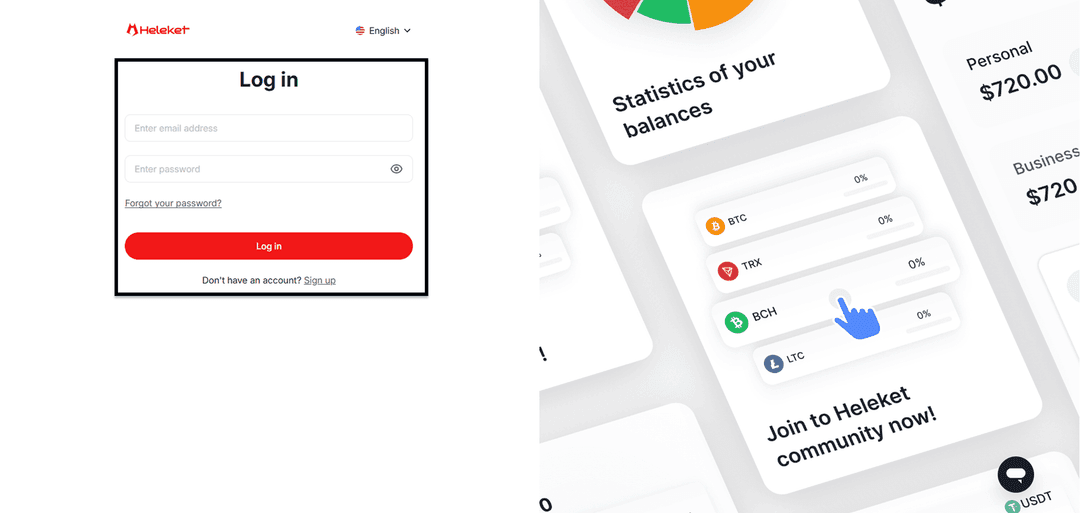
- Now you need to register your Heleket account. Enter your email and password, then confirm your email. If you already have an account, just log in.
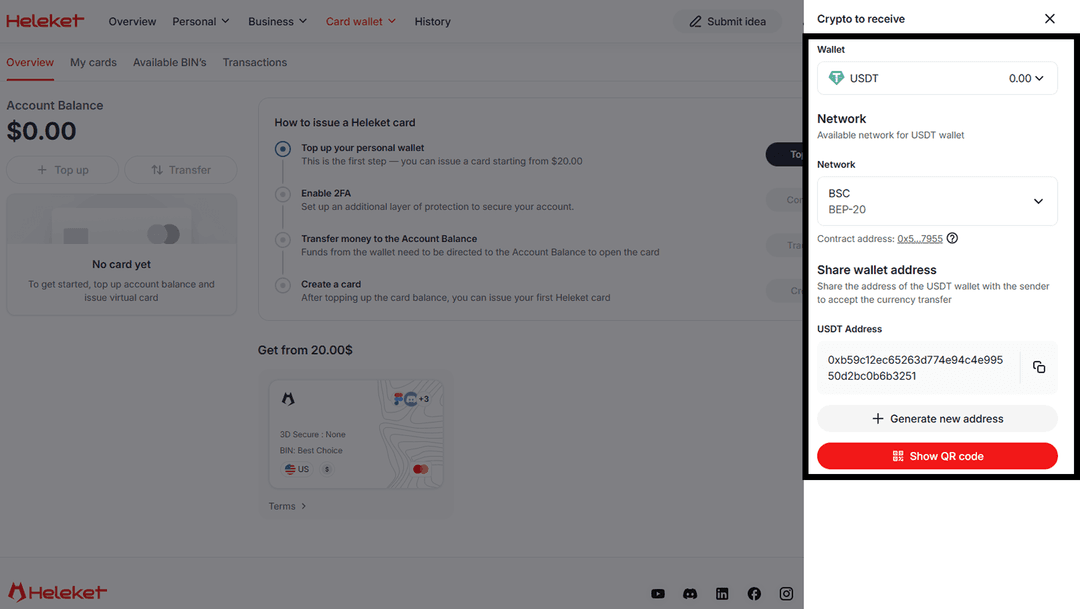
- Our card can be issued when your balance reaches $20. To deposit funds to your wallet, click "Top Up," select the coin and network. After that, transfer $20 to the address shown below.
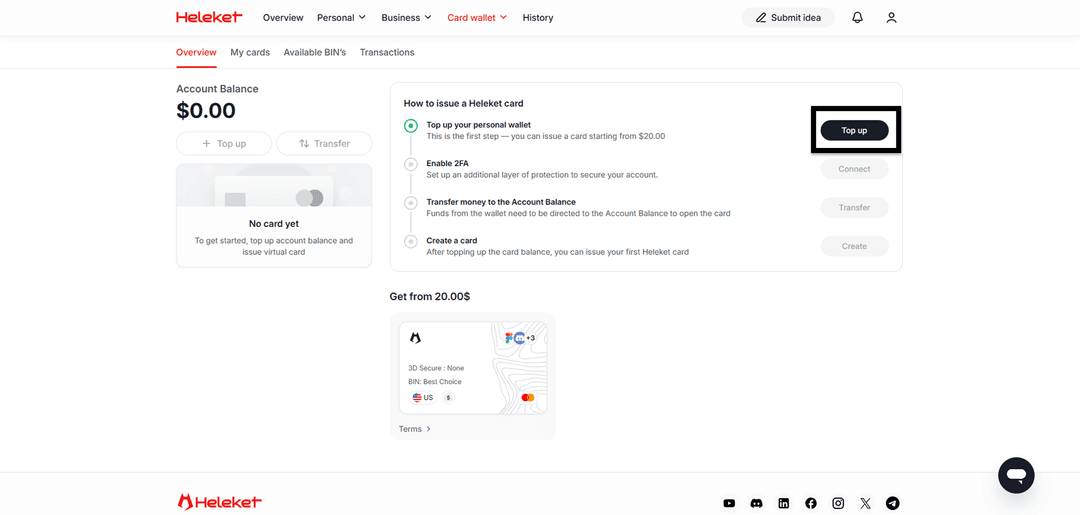
After you've topped up your wallet, click "Enable" next to two-factor authentication. This activates the protection needed for the card to work. Then click "Transfer" money from the wallet to your account balance. Now you can create a card by clicking the "Create" button.
After these steps, you can use the card freely.
Step-by-Step Guide: Paying for Patreon
Go to Patreon.com. First, you need to register or log in if you already have an account.

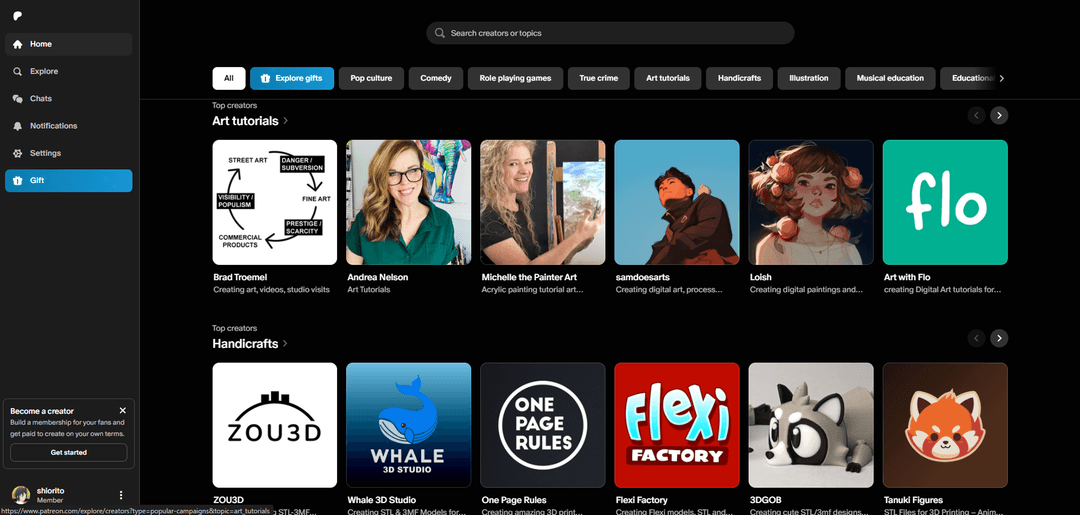
Choose the creator you want to subscribe to. You can do this through search, by link, or find a popular creator from recommendations.
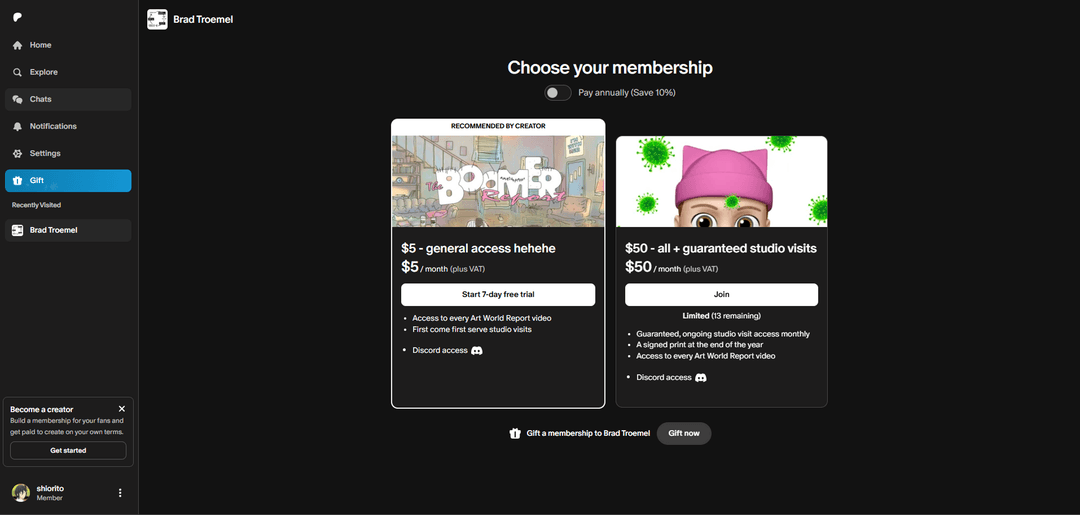
Select a subscription plan. Each creator has different ones. Usually, the more expensive the plan, the more of the creator's content is available to you.
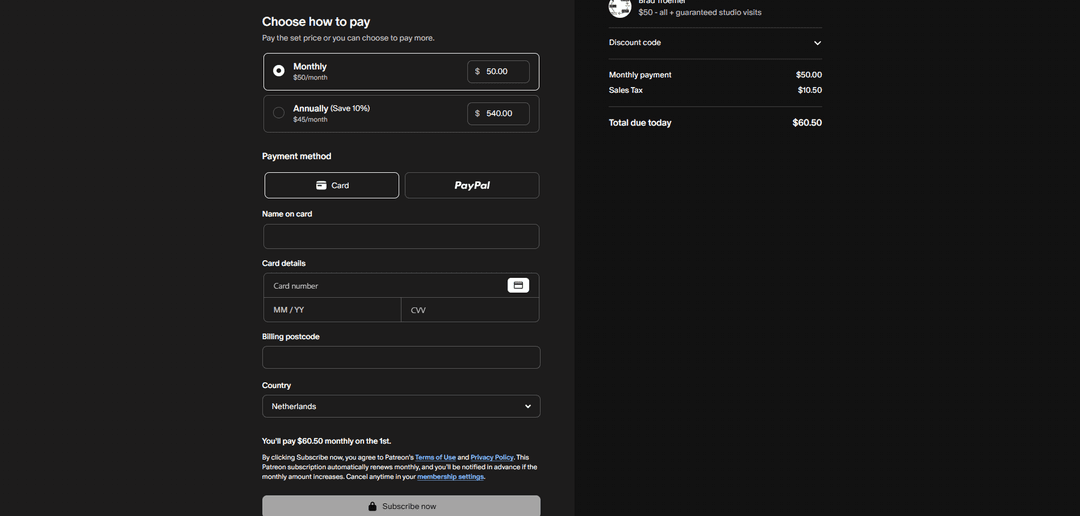
Select "Card" as the payment method, enter the name, card number, expiry date, and security code. They're available in your personal account at any time. Select the country and click "Subscribe Now."
The service is paid, you can enjoy content from your favorite creators.
What to do if the payment is declined:
Check that you have enough money to pay for the subscription. The amount should slightly exceed the payment amount by 3.5% — the virtual card commission.
Check again that you entered the virtual card details correctly.
Contact Heleket support if this didn't help. We'll answer all your questions.
Frequently Asked Questions
Is it safe to use a virtual card for subscriptions?
Yes. The Heleket virtual card operates under the same security standards as regular Visa and Mastercard bank cards. Moreover, you don't link your main bank card to services, which is an additional level of protection.
What happens to the subscription if the card runs out of funds?
The subscription will last until the end of the period you paid for. If the subscription expires and there's no money on the card to renew it, the subscription will be cancelled. We recommend monitoring the balance and topping up the card in advance so that automatic subscription renewal goes smoothly.
Can one card be used for multiple services?
Yes. One virtual card is suitable for paying for any number of services. You can link it simultaneously to Patreon, streaming platforms, AI services, and any other platforms.
Is identity verification required?
No. To issue a card, it's enough to register on the Heleket platform. No passports, selfies with documents, or other complicated procedures.
Conclusion
Restrictions on using Russian bank cards abroad are a reality that must be reckoned with. However, this is not a reason to give up supporting your favorite creators on Patreon and Boosty or using foreign services.
Heleket virtual cards offer a simple, fast, and reliable way to regain access to international payments. Registration takes a couple of minutes, top-up is with cryptocurrency without unnecessary intermediaries, and the card itself works everywhere that accepts Visa and Mastercard.
Try it — register on Heleket, get a virtual card, and pay for all the services you need.