
Cryptocurrency
How to Enable Crypto Payments for Online Stores via WooCommerce
#guides
Cryptocurrencies are gradually becoming a familiar part of the digital economy. According to research, by 2026, the integration of cryptocurrency payment solutions on WordPress websites will reach 40%. This is especially relevant for those working with the WooCommerce CMS — a platform that holds 20–25% of the e-commerce market. Integrating crypto payments has become easier thanks to specialized solutions. These take over the technical side of the process — from transaction processing to data security. When creating an online store on WooCommerce, the store owner does not need technical knowledge to connect new payment methods. Let's explore what these tools are and how to configure them in an online store.
How to Set Up Cryptocurrency Payments with WooCommerce
To add crypto payments to your store, there are two main approaches:
1. Manual Method:
The first method is to provide customers with a cryptocurrency wallet address for them to send payments manually. However, this solution has many downsides. You will need to manually track each transaction and match it with the corresponding order. This creates extra workload and can lead to confusion. Additionally, there is no automatic order status update, which reduces the quality of customer service.
2. Using a Specialized Module:
The solution is to install a specialized module. Such tools automate the process: they create addresses for each transaction, track incoming funds, and update order statuses. This makes the purchasing process convenient for customers and relieves extra burden from the store owner.
They also typically include support for multiple cryptocurrencies, exchange rates, and enhanced security measures. This makes them a reliable choice for growing businesses.
How to Accept Crypto Payments via WooCommerce Using a Plugin
Installing a specialized module is a straightforward process that takes just a few minutes. Let's look at the setup example using the Heleket payment solution for WooCommerce. We use Heleket — unlike other payment solutions, it has automatic currency conversion that exchanges crypto payments into fiat currencies. This way, you can avoid losing part of your profit if the cryptocurrency exchange rate drops.
Downloading the Plugin
- Go to the official website: Heleket.com
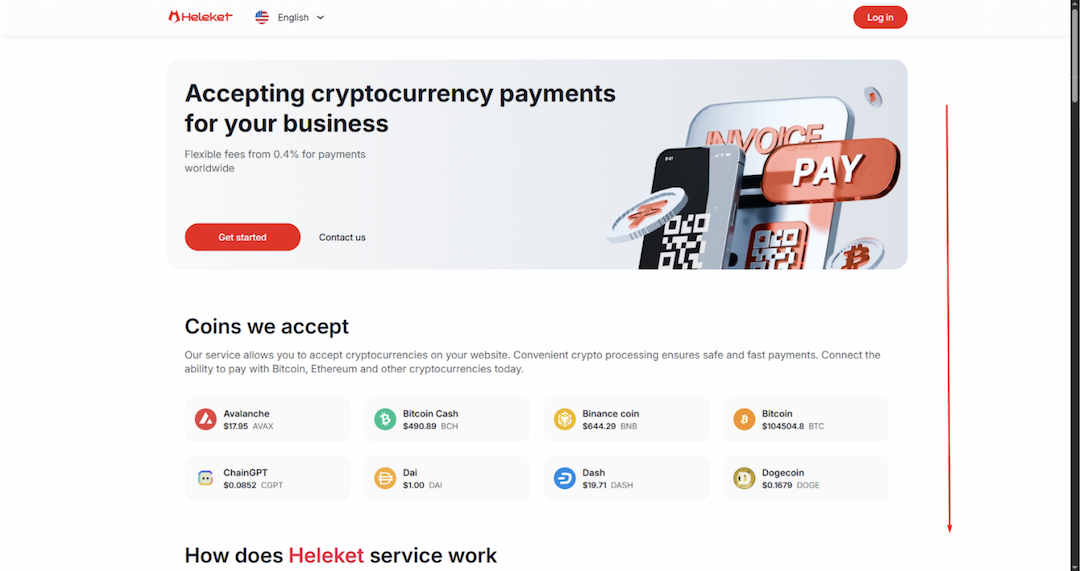
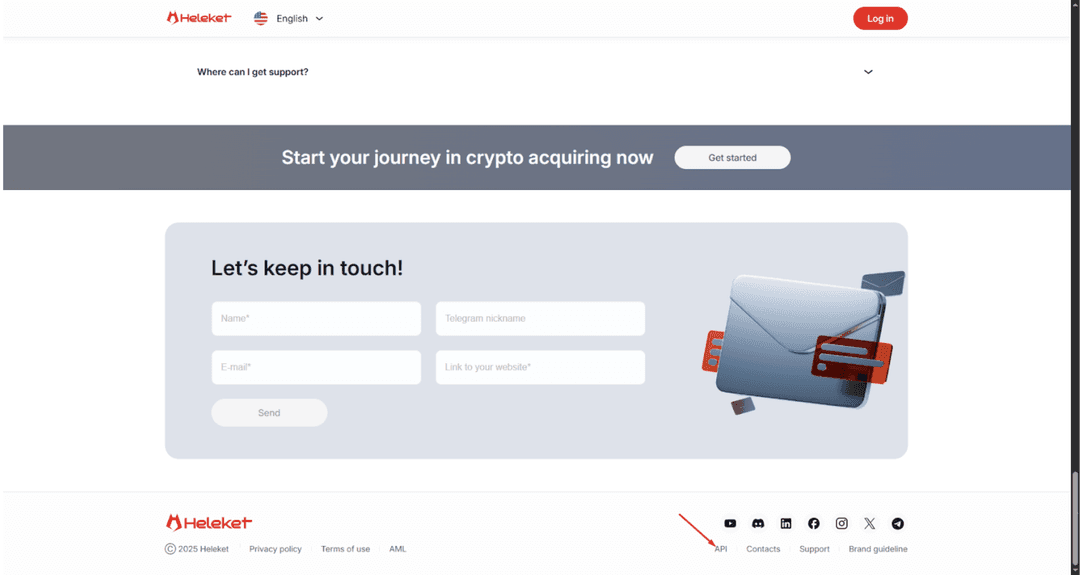
- Scroll down to the footer of the site and select the "API" section
- In the opened section, go to the "Modules" tab
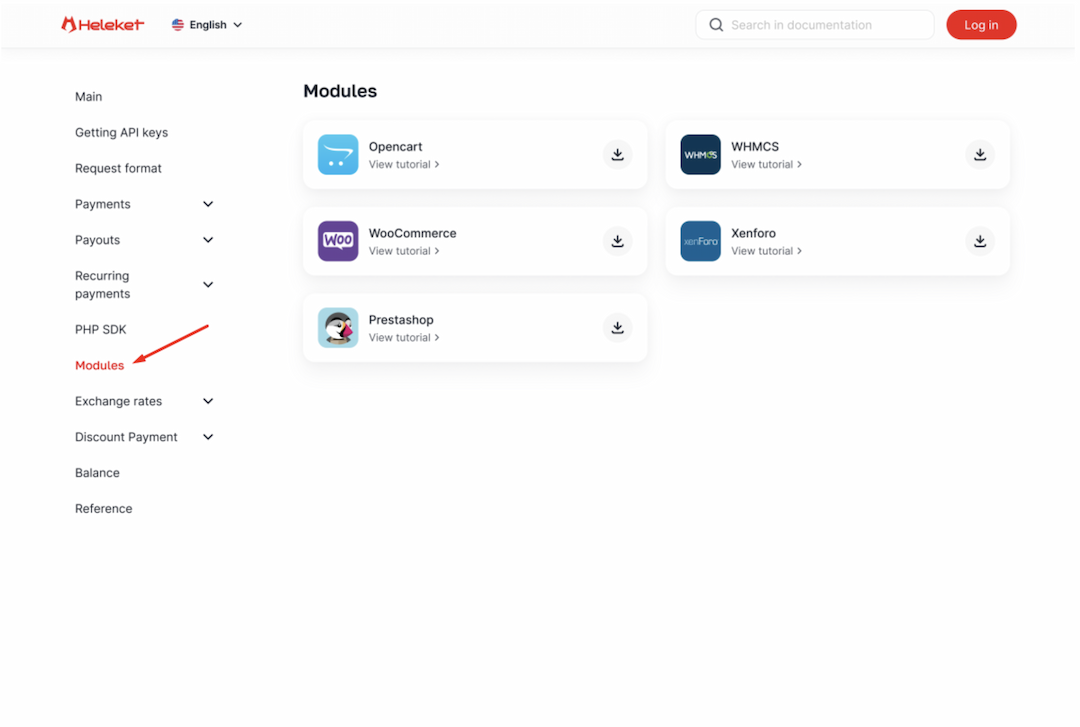
- Find the WooCommerce plugin and click the Download button to get the file
Connecting the Payment Plugin via WordPress
To simplify the process, you can use the built-in WordPress plugin directory:
- In the admin panel, go to Plugins → Add New
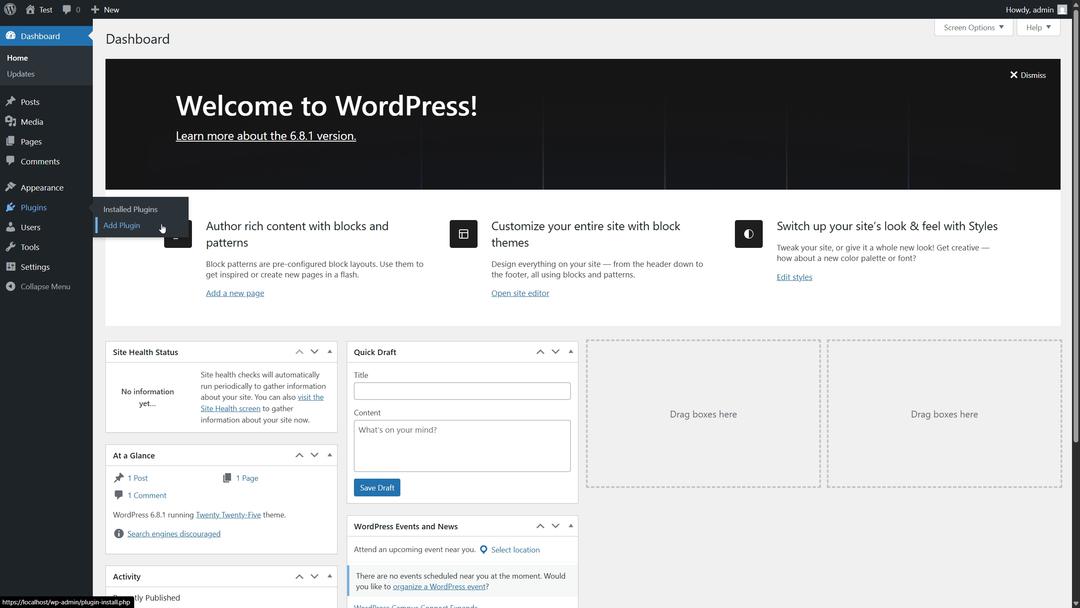
- Enter "Heleket" in the search bar
- When the module appears in the results, click Install Now
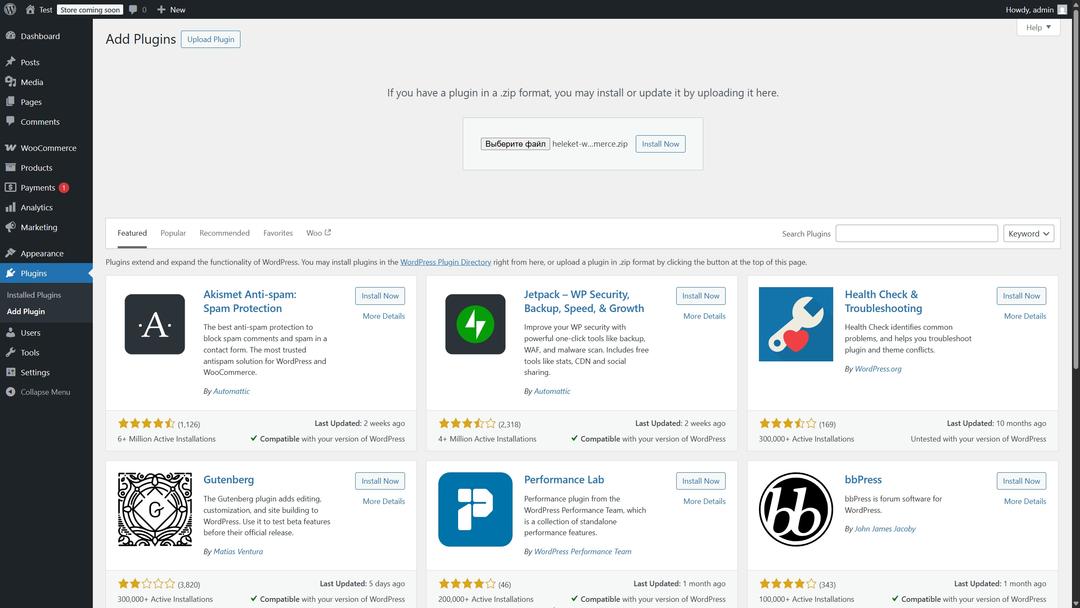
- After installation, activate the plugin
This approach is ideal for WooCommerce beginners as it greatly simplifies the setup process.
Once the installation is complete, activate the plugin and configure the necessary settings. Now your store is ready to accept cryptocurrency payments.
Installing Heleket in WordPress
If you downloaded the plugin file from the website:
- Open the Plugins section in the WordPress admin panel
- Upload the Heleket plugin file
- Install and activate it
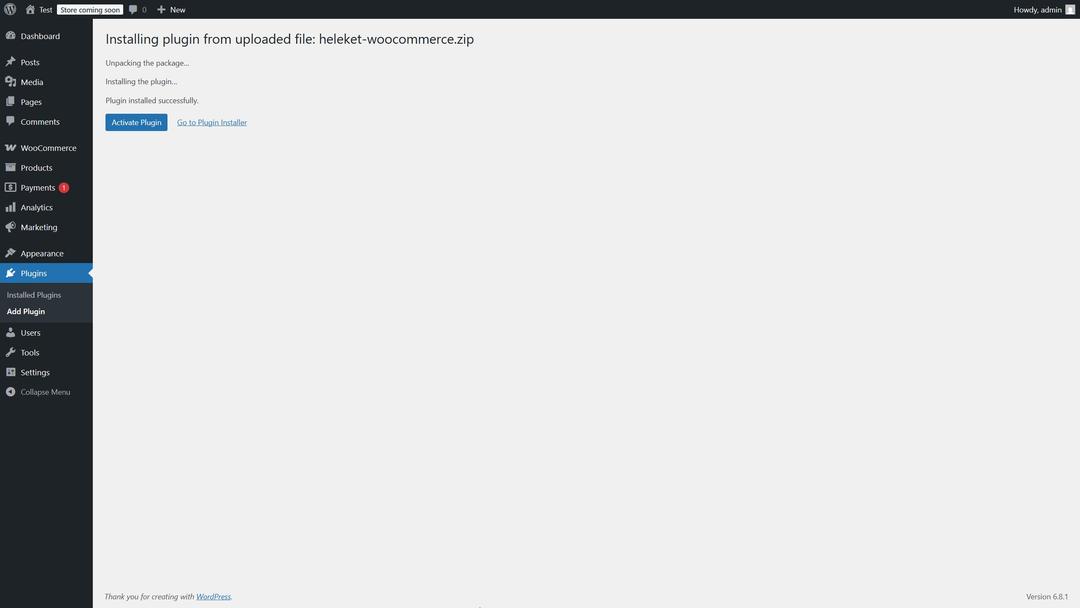
The plugin is now ready to use and configure for accepting cryptocurrency payments.
The plugin is now ready to use and configure for accepting cryptocurrency payments.
Setting Up the Heleket Payment Gateway for WordPress via API
API integration is used for flexible customization. This method is suitable for experienced developers or projects with unique requirements. Step-by-step instructions for using the Heleket API to connect payments on your WordPress site:
- Register a Heleket account and create a Merchant profile for your business.
- Generate an API key.
- Enter the obtained API key in your site’s settings.
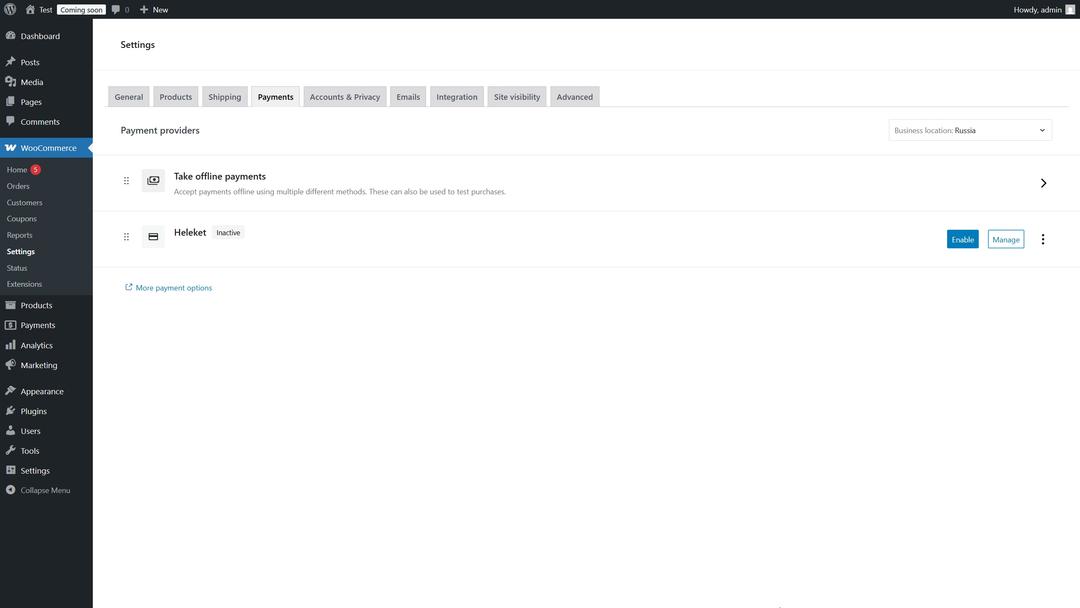
- Configure additional parameters such as currencies, fees, and other preferences.
- Activate the module in the Payments settings section.
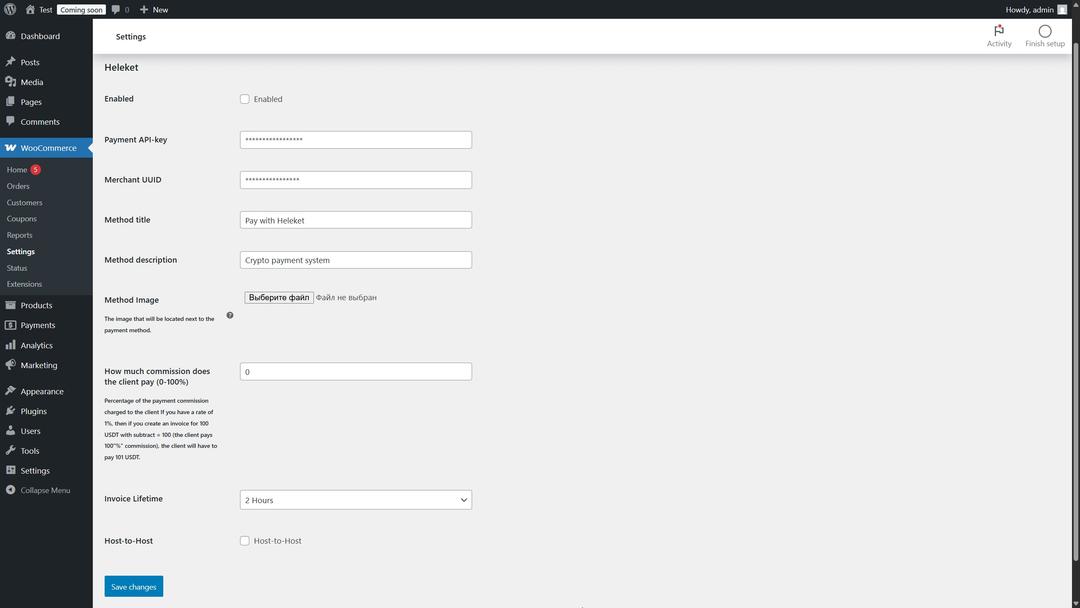
- Save your changes.
Additional Features
The updated module version offers advanced settings:
The Host-to-Host parameter allows you to hide Heleket’s mention on your site if you prefer not to highlight the payment provider.
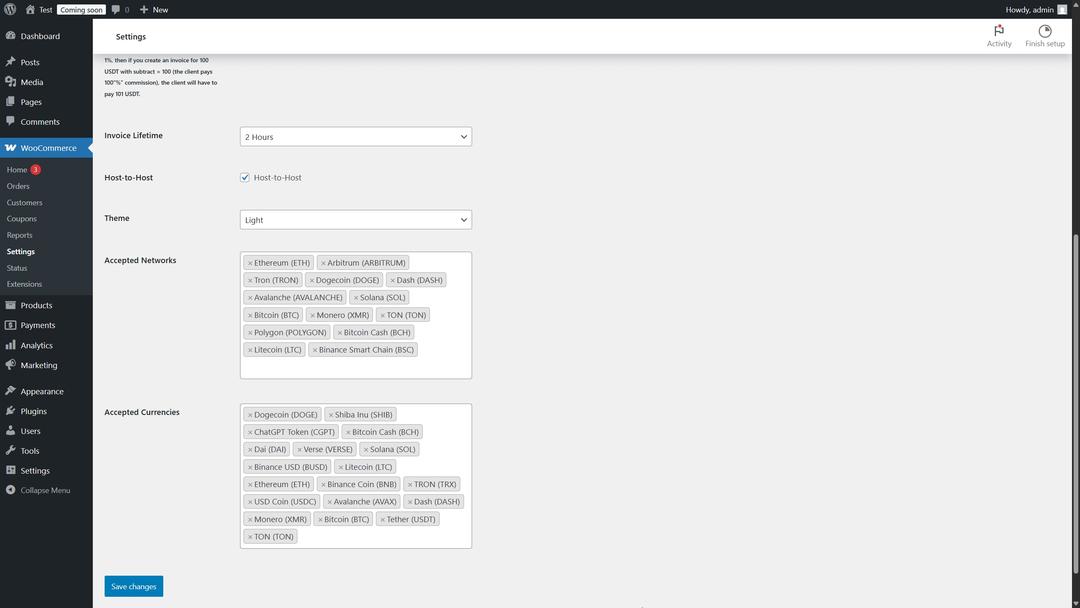
The Theme Settings control the appearance of the payment form. You can select a ready-made theme or create your own. For customization, choose the Custom option and edit files located in:
The Theme Settings control the appearance of the payment form. You can select a ready-made theme or create your own. For customization, choose the Custom option and edit files located in:
wp-content → plugins → heleket → templates → custom
Edit the files form_1.php and form_2.php. It is important not to change the names of the form fields to avoid errors.
Supported Networks and Currencies — these settings allow you to select specific cryptocurrencies and blockchain networks that your store will support.
Troubleshooting WooCommerce Issues
During setup, you may encounter technical issues. The most common problems include:
- Conflicts with other plugins: Disable other payment solutions for testing.
- API key issues: Verify that the entered API key is correct.
- Activation errors: Check compatibility of your WordPress and WooCommerce versions. After completing the setup, it is recommended to test the payment process. If testing is successful, the received funds will be credited to your merchant account, and the system will be ready to operate.
In Case of Problems
If you encounter problems processing crypto payments, contact Heleket support.
Crypto Payment Plugin for WooCommerce
Plugins and extensions for WooCommerce add the ability to accept payments in digital currencies to your online store. Customers will be able to pay with popular cryptocurrencies such as Bitcoin, Ethereum, and others.
What these tools offer:
– Fast payment processing. Transactions go through without delays. – Savings on fees. Fees for crypto payments range from 0.5% to 1%. Bank fees are 3–6%. – Protection against chargebacks. Cryptocurrency transactions are irreversible. Setting up such solutions does not require special technical skills. This is important for WooCommerce users in small businesses, where owners often combine roles. The tool suits both newcomers to e-commerce and experienced entrepreneurs.
WooCommerce Overview: Benefits of Crypto Payments
Supporting cryptocurrency payments will expand your store's audience. Digital currencies — Bitcoin, Ethereum, USDT — attract users who value technological innovation and convenience in financial tools. By offering this payment method, you show your readiness to grow alongside market changes.
Advantages of cryptocurrency transactions:
— Lower fees. Crypto payment fees are lower than those of banks. — Fraud protection. Cryptocurrency transactions are irreversible, which reduces risks for the seller. — Geographical reach. Digital currencies are not tied to specific countries, simplifying dealings with international clients. — WooCommerce SEO optimization. Supporting new payment methods improves user experience, which search engines take into account when ranking. When migrating to WooCommerce from another platform, adding crypto payments becomes an additional advantage for the new store. As digital currencies gain popularity, integrating them helps you stand out from competitors.