
Cards
How to Pay for YouTube Premium Subscription from Russia
#service-payments
Connecting YouTube Premium, alongside other digital platforms, presents difficulty. Certain users are deprived of the ability to complete transaction due to bank card incompatibility with payment systems. Crypto asset holders face impossibility of applying digital currencies for service acquisition.
We present an alternative — Heleket digital card. The card functions based on cryptocurrency deposits with subsequent auto-conversion to US dollars. Applicable for settlements in any internet services analogous to traditional Visa, excluding intermediary structures and hidden payments.
Comparison with Other Payment Methods
Bank cards. Presume bank account registration. Functionality for cross-border transfers is limited. Blocking possible when conducting international transactions.
Other virtual cards. Majority requires passing documentary verification. Rates for depositing funds are inflated. Platform recognition varies.
PayPal and similar platforms. Function under condition of connected bank card. Territorial restrictions apply. Currency operations accompanied by additional charges.
Heleket advantages:
- Rapid creation — registration takes several minutes
- Cryptocurrency deposit
- Compatibility with all international subscription platforms
- Documentation for registration not required
- Transparent commission structure
Single card suitable not only for YouTube but also for other web services. Only email address and initial deposit required for registration. Card acquisition procedure outlined below.
How to Create a Heleket Card
Registration
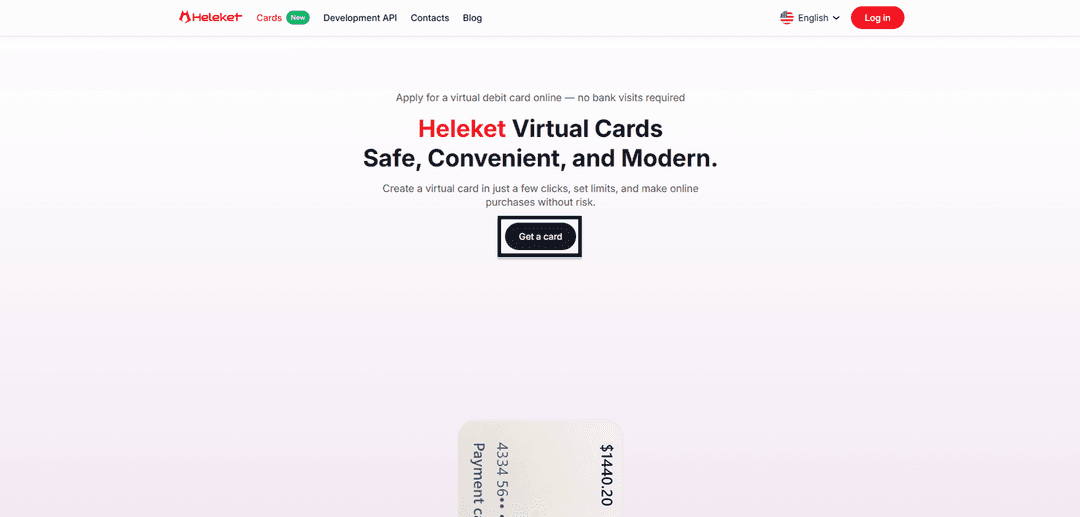
- Enter the Cards section of Heleket web resource and activate card acquisition option.
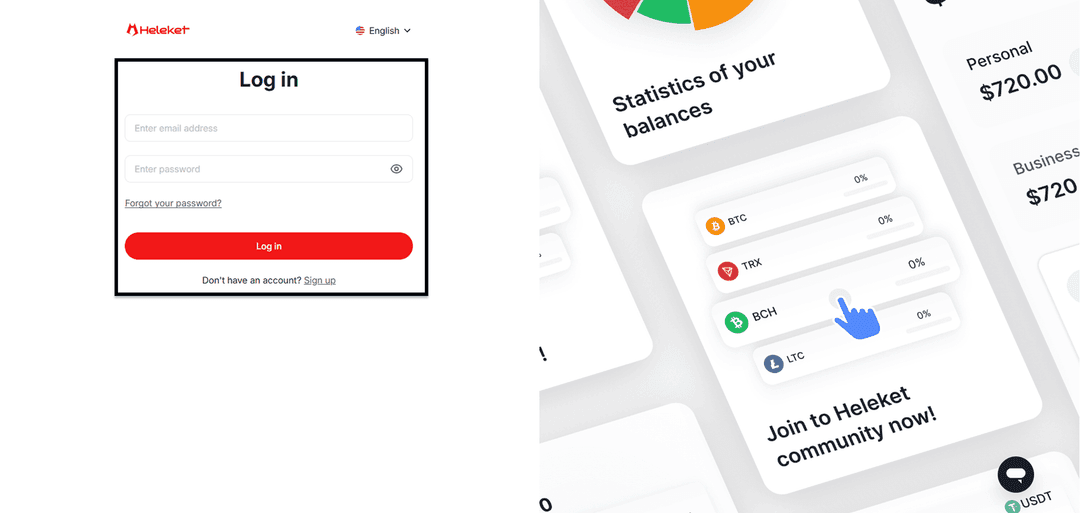
- Register Heleket profile or log into already existing one.
Creating the Card
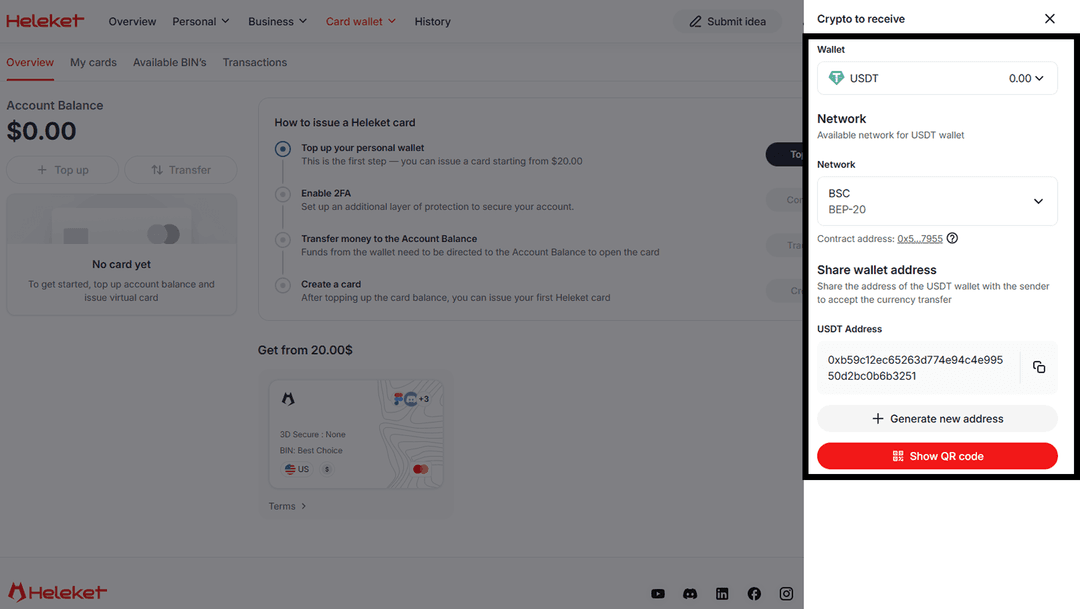
- Deposit at least 20 US dollars to individual Heleket wallet. For this activate deposit function. Determine wallet and blockchain network.
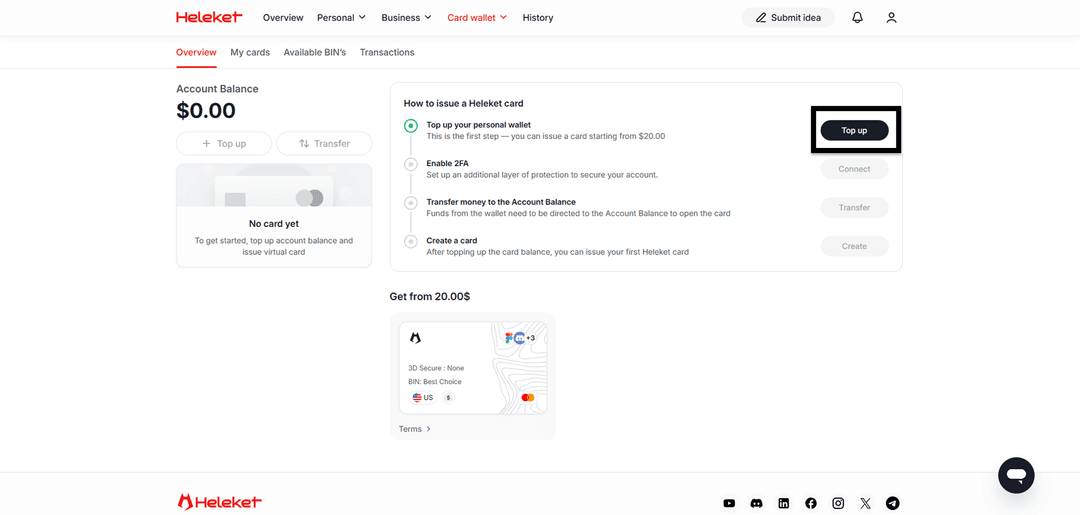
- Activate two-factor verification (2FA).
- Execute movement of funds from wallet to main balance.
- Upon completing crediting to balance, initiate card creation.
Step-by-Step Guide: YouTube Premium Subscription Payment
Subscription payment process via Heleket is identical to using traditional bank card. Platform perceives virtual card as legitimate international card.
Open Youtube.com web portal. Log into profile registered in region with YouTube Premium access.
On starting page activate YouTube Premium in left sidebar.
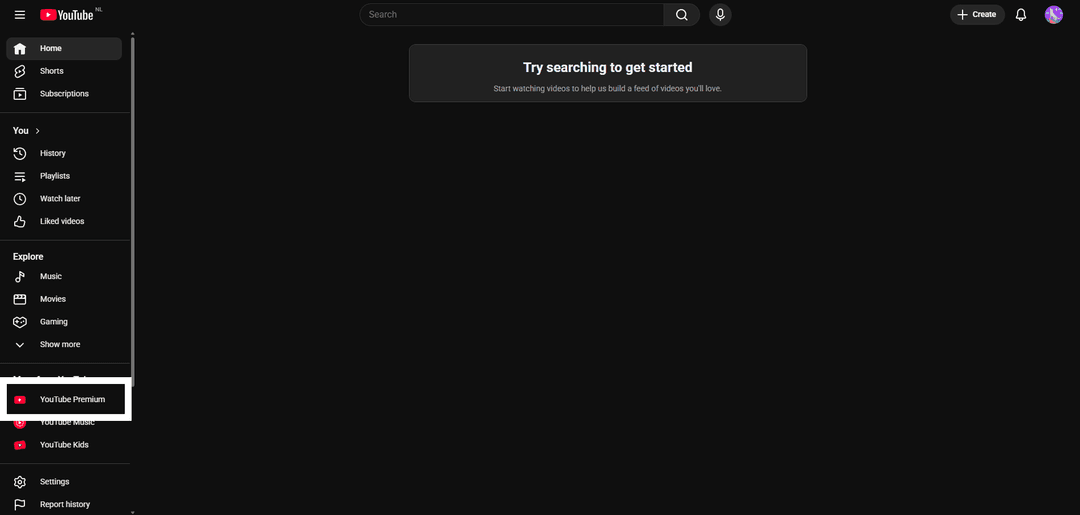
Activate Get YouTube Premium.

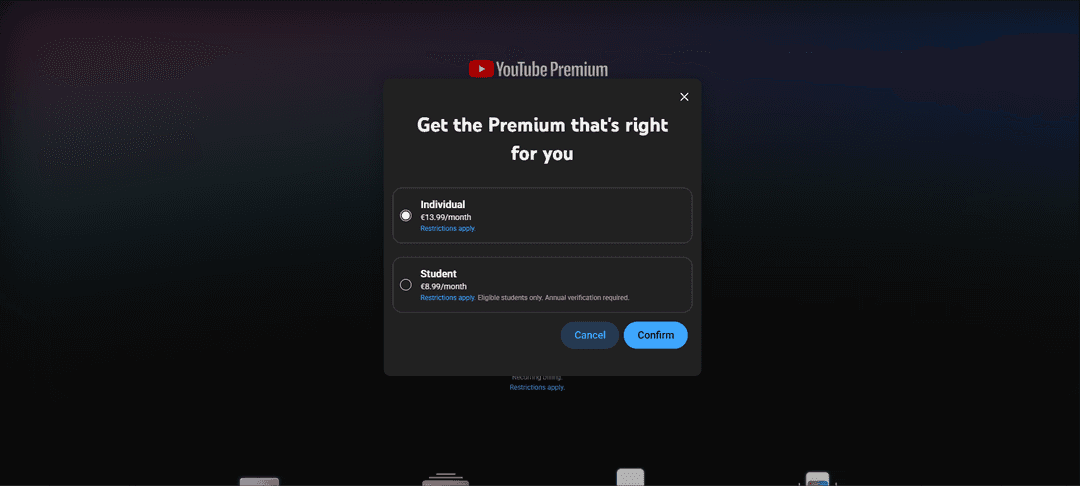
Select Individual.
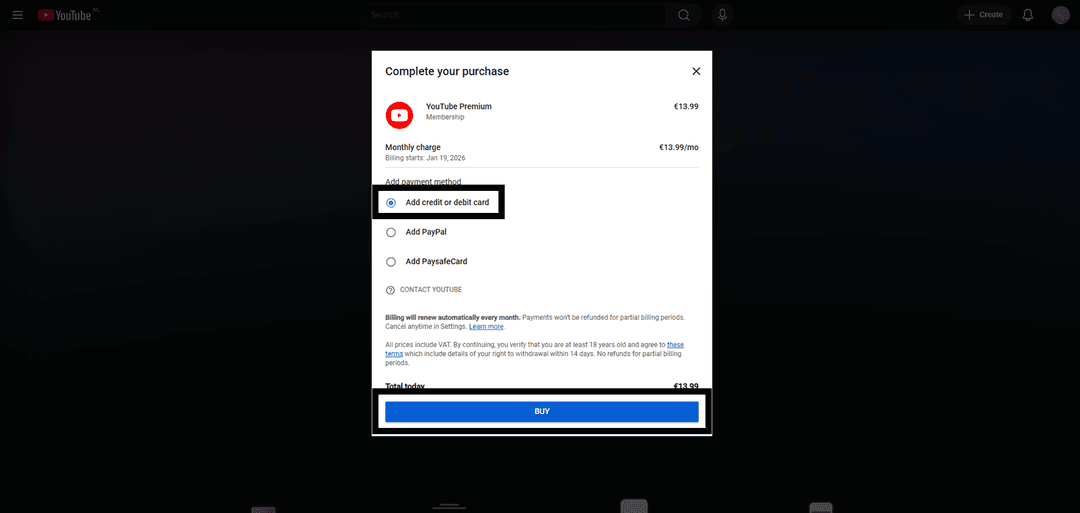
Select Add credit or debit card.
Fill forms with Heleket virtual card details. The payment card region (USA) must match yours. Use the tools to change your geolocation.
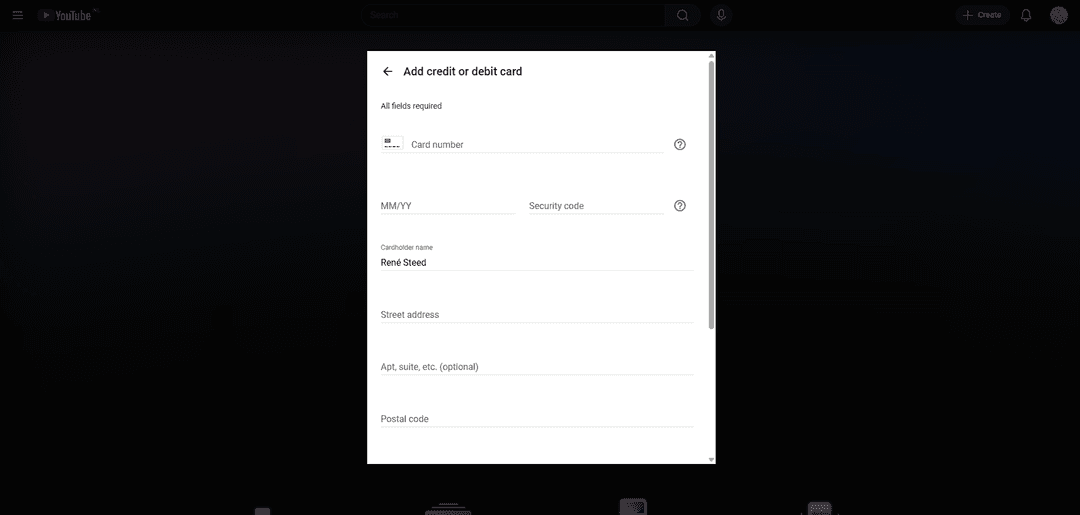
Activate Save Card.

If payment fails, verify:
- Presence of sufficient funds amount on card
- Correctness of all entered card details
- Transaction currency match — card functions in US dollars
If difficulties arise — contact Heleket support.