
Cards
How to Pay for a Duolingo Subscription from Russia
#service-payments
Duolingo is one of the most popular language learning apps in the world. But paying for a Super Duolingo subscription from Russia with a regular bank card won't work — the payment gets declined during processing. In this article, we'll explain what the paid version offers, why standard payment methods don't work, and show you step by step how to subscribe using a Heleket virtual card.
About Duolingo
Duolingo's main feature is gamification. Learning is structured like a game rather than a traditional textbook. Lessons are short, usually 5–15 minutes. Each lesson consists of translation exercises, listening tasks, word matching, and sentence building. The algorithm adapts to your level and offers tasks that reinforce weak areas.
Completing lessons earns you XP. These points determine your standing in weekly leagues — from Bronze to Diamond. Each league has 30 random users competing, and at the end of the week, top performers are promoted while the weakest are demoted. This creates extra motivation to study every day.
The app also has an in-app currency — gems. They can be spent on streak freezes, restoring lives, and buying bonus lessons.
What Super Duolingo Offers
The free version of Duolingo gives access to all languages and all exercise types. You can study without limits on the number of courses. However, the free version includes ads and a lives system — you get five hearts that are used up when you make mistakes. When the hearts run out, you have to wait for them to restore or earn extras through practice. Super Duolingo removes these limitations and adds several useful features.
Who the free version is enough for — those who study irregularly or are just getting familiar with the platform. If you do one or two lessons a day and don't mind ads, free Duolingo is fully functional.
Who should upgrade to Super — those who study daily and intensively. Unlimited lives let you keep learning without interruption from mistakes, and offline access is convenient for studying on the go, in the subway, or on a plane. No ads saves time and keeps your focus.
Why You Can't Pay from Russia
International payment systems Visa and Mastercard have stopped processing transactions from cards issued by Russian banks. This applies to all foreign services, and Duolingo is no exception. If you try to enter a Russian card's details on duolingo.com, the payment will be declined.
PayPal doesn't solve the problem either. The service requires linking a bank card and checks the country of issuance. Without a foreign card, a Russian PayPal account won't allow international payments.
All Ways to Pay for Duolingo from Russia
There are several ways to get around payment restrictions. Let's go through each one.
Intermediary services. You transfer rubles to an intermediary, and they pay for the subscription with their foreign card. Pros — simplicity and speed (15–60 minutes). Cons — fees of 15% to 20%, meaning on an annual $84 subscription you'd overpay $13–17. Some intermediaries also ask for your Duolingo account credentials to process the payment, which creates security risks.
A foreign bank card. A reliable option with minimal fees. But getting one requires traveling to another country, preparing documents, and usually maintaining a minimum account balance. The process can take anywhere from several days to several weeks.
Help from contacts abroad. If you have a trusted person with a foreign card, they can pay for the subscription for you. Zero fee, but this depends on having such a person and their willingness to help every month or year at renewal time.
Google Play and App Store gift cards. You can buy a gift card at electronics stores or from online sellers, top up your app store balance, and subscribe through the app. Cons — gift cards aren't always available, and reseller markups can reach 10–15%. Your account region also needs to match the card's region.
A virtual card topped up with cryptocurrency. You issue a card online in minutes, top it up with cryptocurrency, and pay on Duolingo like a regular card. Fees are lower than intermediaries, and you keep full control of your account and payments.
Why Choose a Heleket Virtual Card
We issue virtual cards that are accepted on Duolingo and thousands of other foreign platforms. Let's go through the terms in detail.
Issuance fee — $5. This is a one-time payment. You pay once when you create the card, and there's nothing more to pay for it. There's no monthly maintenance fee. The card is valid for one year from issuance.
Top-up fee — 3.5%. This is charged each time you send cryptocurrency to the card. If you top up the card with $50, the fee will be $1.75. For comparison — intermediaries charge 15% to 20%, meaning for the same amount you'd pay $7.50–10.
Minimum balance to issue — $20. Before creating a card, you need to top up your Heleket wallet with this amount. Of that, $5 will go toward issuance, and the rest will remain on the card's balance and be available for subscriptions and purchases.
Top up with cryptocurrency. The card supports 17 popular cryptocurrencies — from USDT and Bitcoin to Ethereum, Tron, and others. The full list is available on our website. Funds are converted automatically upon deposit to the card.
3D-Secure support. The card supports 3D-Secure technology, which Duolingo and most other foreign services require to confirm payments.
How the card works technically. You send cryptocurrency to your Heleket wallet. The funds are converted and credited to the card balance in dollars. When paying on a website or in an app, you enter the card number, expiry date, and CVV — just like a regular Visa. Money is debited from the balance instantly. If a payment is declined by the service, the funds are returned to the card.
Registration without verification. All you need to create an account is an email and password. No need to upload a passport, take a selfie, or go through a video call. You can review the remaining terms in your personal account after registration.
Step-by-Step Guide — Issuing a Heleket Card
Creating a card takes no more than ten minutes. Everything happens online — all you need is an email, internet access, and cryptocurrency to top it up. Let's go through each step.
Step 1. Go to the Virtual Cards Section
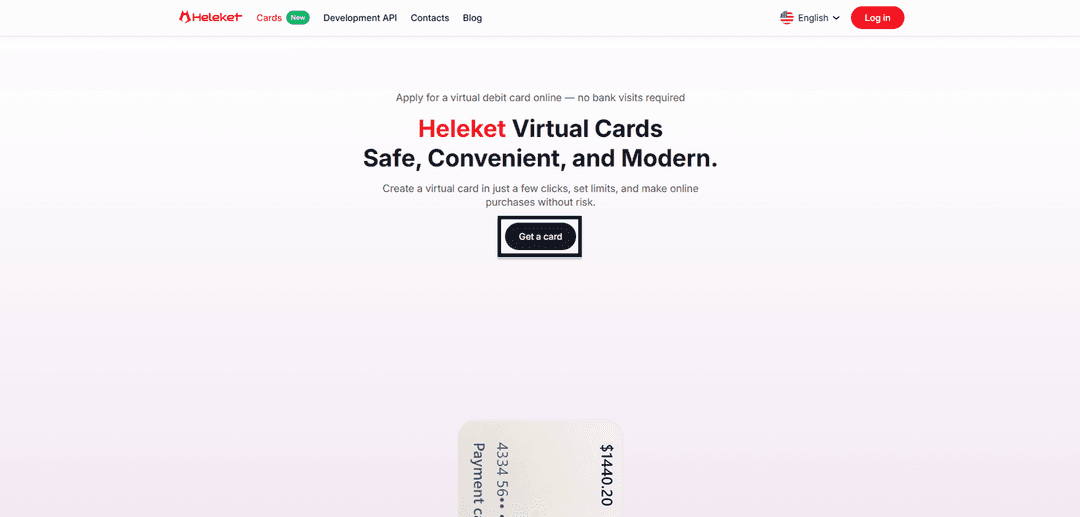
Open our cards page, where you'll find a "Get a Card" button. Click it and you'll be redirected to the next step.
Step 2. Create an Account or Log In to an Existing One
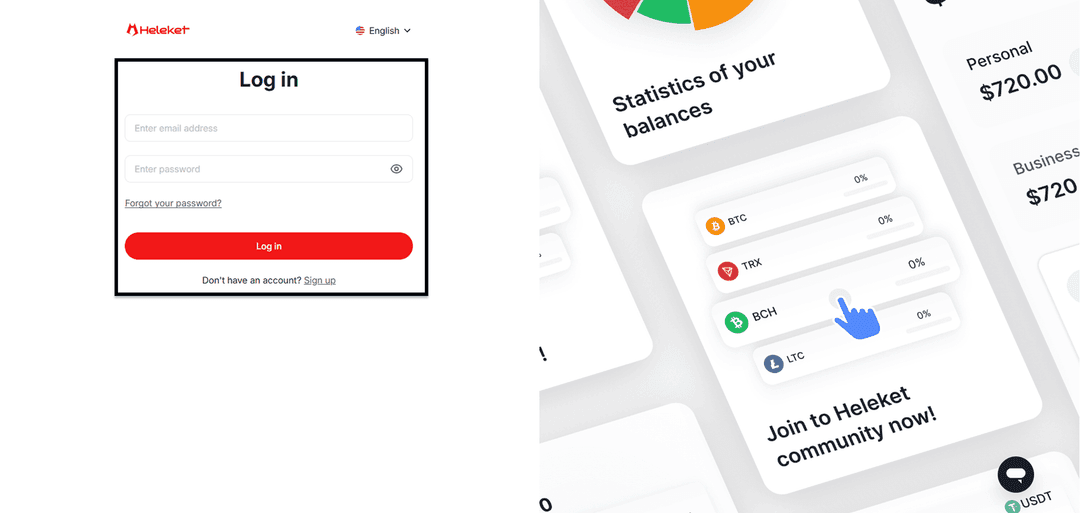
If you're a new user, register. Enter your email, create a password, and confirm your email address — you'll receive a letter with an activation link. The process doesn't require uploading documents and takes less than a minute. If you already have a Heleket account, simply log in.
Step 3. Top Up Your Wallet with at Least $20
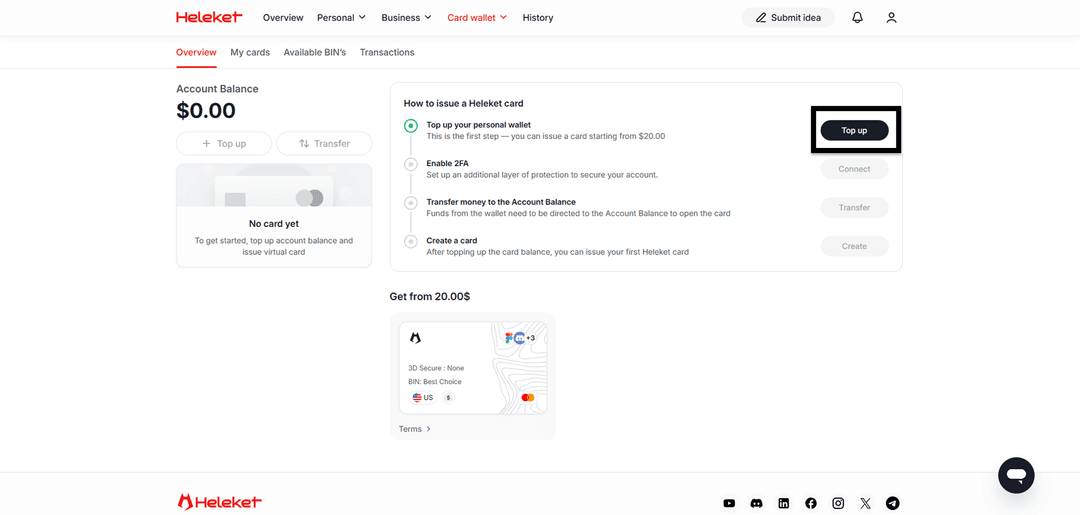
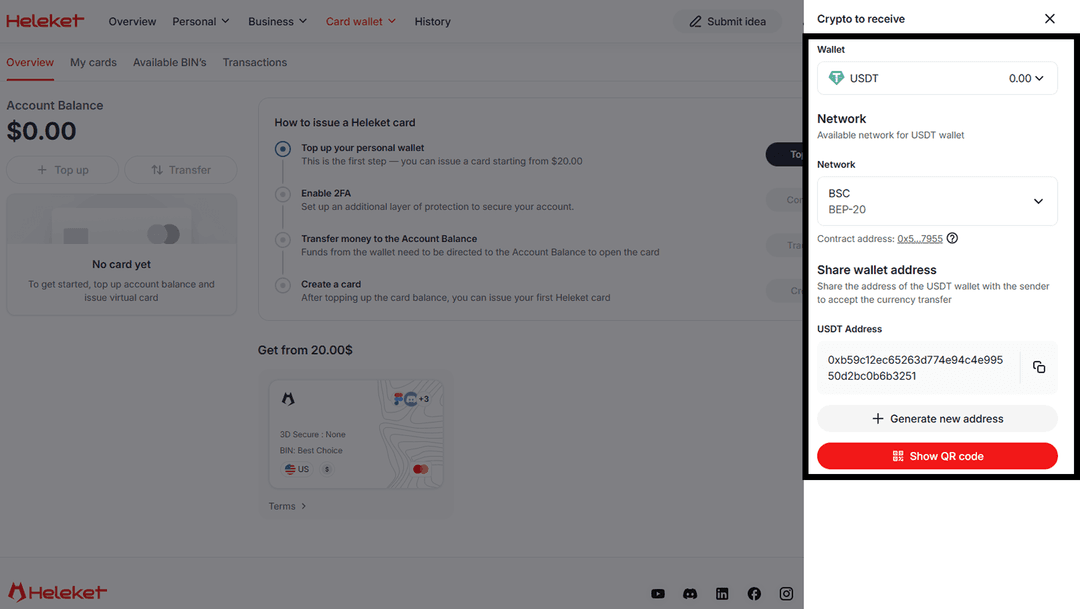
Log into your personal account and click the "Top Up" button. The system will prompt you to choose a cryptocurrency and network for the transfer. After selecting, you'll see a wallet address — send funds to it from your exchange or crypto wallet. The minimum top-up amount is $20. Of this money, $5 will go toward issuing the card, and the remaining $15 will stay on the card balance. Funds will appear in your account after the transaction is confirmed on the blockchain — this usually takes from a few seconds to a few minutes, depending on the network and its load.
Step 4. Enable 2FA and Issue the Card
Before issuing the card, you need to activate two-factor authentication (2FA). This is a mandatory security requirement. Click the "Enable" button next to the corresponding item.
Once 2FA is activated, click the "Transfer" button to move funds from your wallet to your card account. Enter the amount and confirm the operation. After the money is in the account, click the "Create Card" button. The card will be issued within a few seconds.
Card Is Ready
After issuance, the card will appear in your personal account. You'll see its number, expiry date, CVV code, and current balance. These details will be needed to pay on Duolingo and any other services. The card is ready to use immediately — no additional steps required. Once successfully issued, it will always be displayed in your personal account along with the current balance, and you can top it up at any time.
Step-by-Step Guide — Paying for Duolingo
The Heleket card is issued and ready to go. Now let's set up the Super Duolingo subscription via the website. The whole process takes a couple of minutes.
Step 1. Go to the Duolingo Website
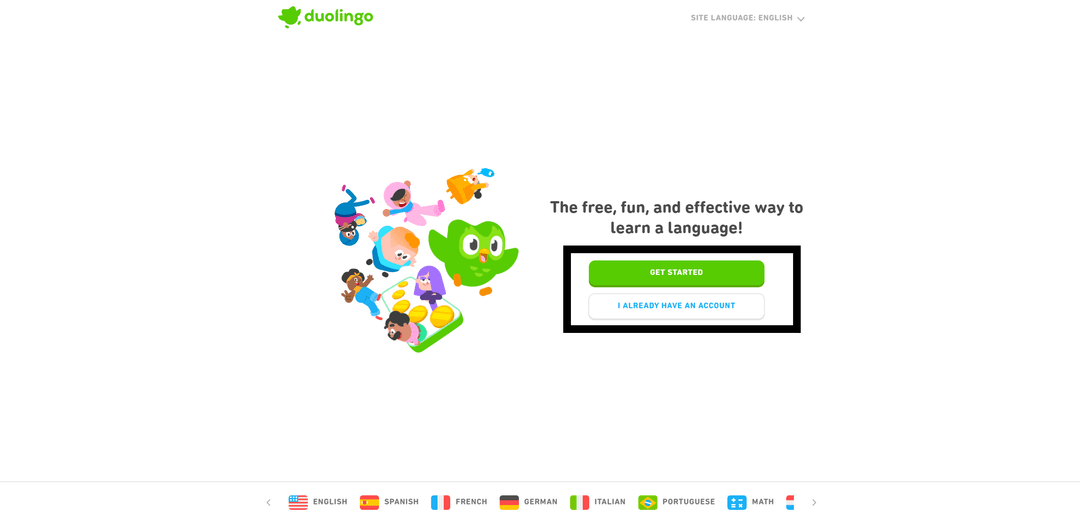
Open duolingo.com in your browser. If you already have an account, click "I already have an account" and enter your email and password. If you don't have an account — click "Get started." Duolingo will ask you to choose a language to learn, set a daily goal, and take a short placement test (or start from scratch). Registration is available via email, Google, Facebook, or Apple.
Step 2. Click on the Offer to Try Super Duolingo
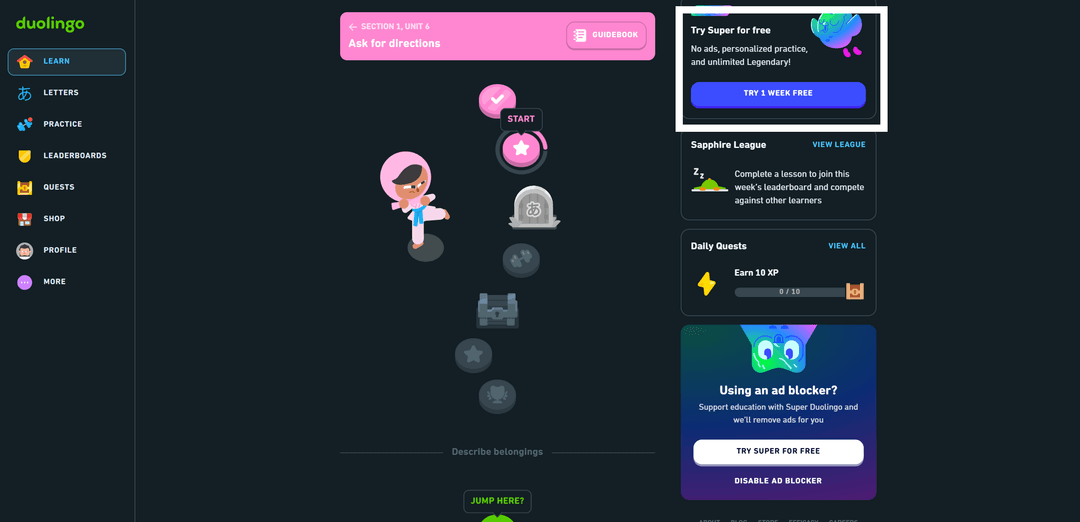
After logging in, you'll see a banner offering to try the Super Duolingo subscription. It may appear on the home screen or in the settings section. Click it. Duolingo will show a comparison screen of the free and paid versions — unlimited lives, no ads, offline access, and other Super benefits.
Step 3. Confirm That You Want to Try the Subscription
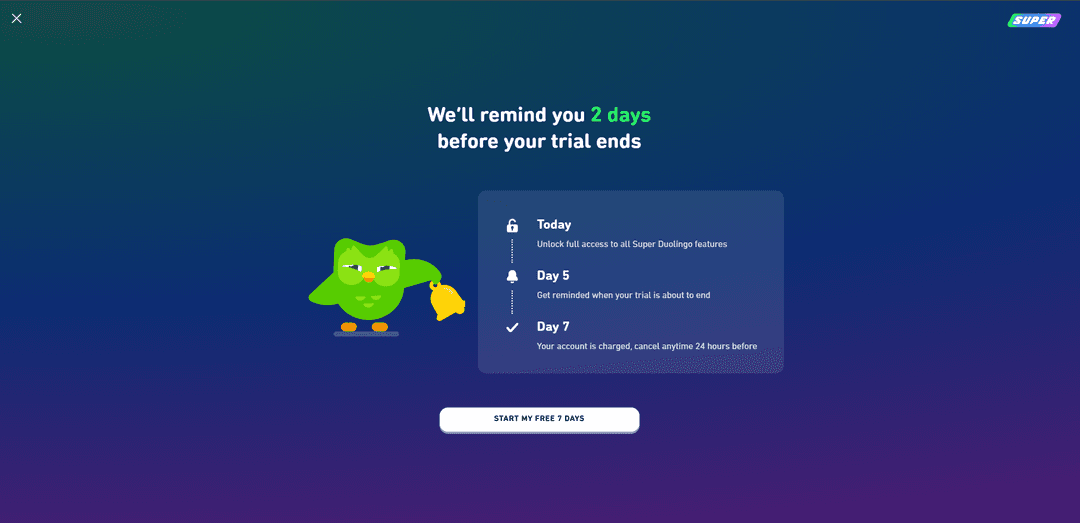
Duolingo will offer a free trial period and let you know it will remind you two days before it ends. This means you'll have time to evaluate all Super Duolingo features before the card is charged. If the service doesn't suit you — cancel the subscription before the trial ends and you won't be charged. To continue, click the confirmation button.
Step 4. Choose a Subscription Plan
Duolingo will offer three options:
- Individual annual plan
- Family annual plan
- Individual monthly plan
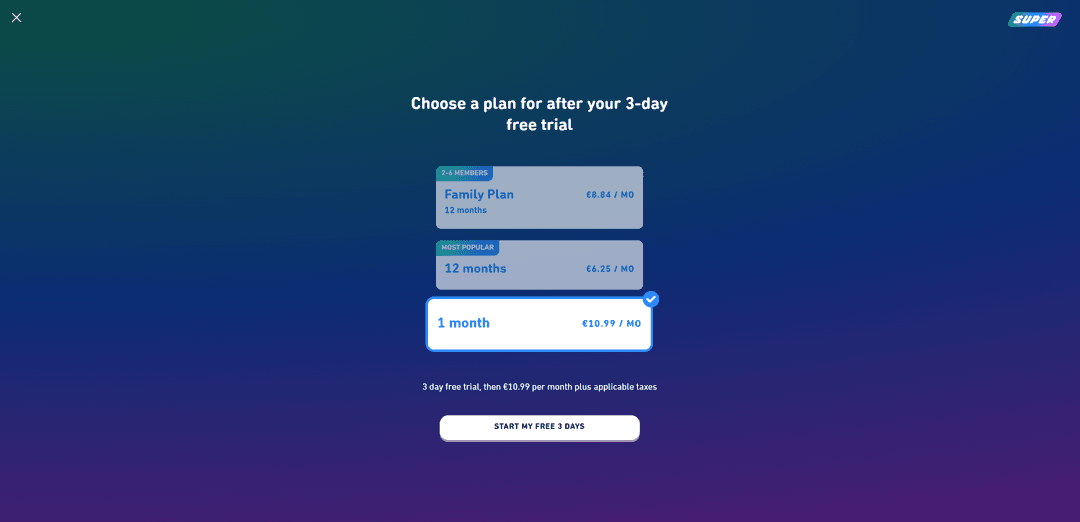
The individual plan is just for you. The annual subscription costs significantly less than paying month by month. If you plan to study regularly, the annual plan is the better value.
The family plan is for you and up to five other people (six participants total). Each person gets their own account with all Super Duolingo features. Participants don't need to live in the same house or be in the same country — they just need to accept the invitation. Per person, the family plan costs significantly less than the individual plan. If you have friends or family who also use Duolingo, this option will save everyone money.
The price of Super Duolingo depends on the plan. The individual monthly subscription costs about $13. Annual — about $84, which works out to roughly $7 per month. The family plan costs about $120 per year and allows up to six people — each of them gets all Super Duolingo features on their own account.
Choose the plan that suits you and proceed to payment.
Step 5. Enter Your Card Details and Confirm Payment
A payment form will appear on screen. Enter your Heleket virtual card number, its expiry date, and the security code (CVV). You'll find these details in your Heleket personal account. In the "Country" field, select the United States. Double-check that all details are entered correctly and click the confirmation button.
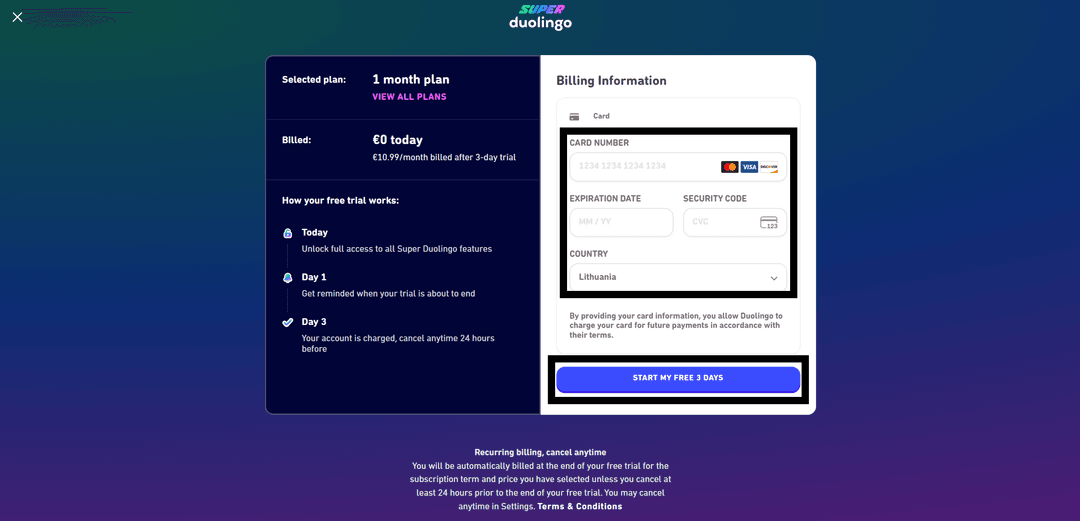
When activating the trial period, Duolingo may charge and immediately refund a small amount (usually $1) to verify the card. Make sure your balance has at least a few dollars more than the subscription cost.
Subscription Activated
Tips After Payment
A few recommendations to help you use the subscription comfortably and avoid surprises.
Top up your card in advance. Duolingo automatically renews the subscription and charges on the renewal date. If there aren't enough funds on the card, the payment won't go through and the subscription will pause. Keep a buffer amount on the card balance — top it up 3–5 days before the charge date.
How to cancel auto-renewal. If you decide not to continue the subscription, go to account settings and click "Cancel subscription" in the subscription section. Access to Super will remain until the end of the paid period. After cancellation, your account will return to the free version — all your progress, streaks, and levels will be preserved.
How to change your plan. If you started with an individual plan and want to switch to the family plan (or vice versa), first cancel the current subscription, wait for the paid period to end, then purchase a new one.
How to restore a subscription after a pause. If the subscription was paused due to a failed charge, top up your Heleket card. The platform will attempt to charge again. If the automatic charge doesn't happen, resubscribe manually — your progress won't be lost.
The subscription is tied to your account, not your device. You can use Super Duolingo simultaneously on your phone, tablet, and computer — just log into the same account. Data syncs via the cloud.
How to Resolve Payment Errors
Sometimes a payment may not go through. Here are the main reasons and how to fix them.
Insufficient funds on the card. The most common reason for a decline. Make sure the balance covers the subscription cost with a $2–3 buffer. Duolingo may charge a small amount to verify the card, and if funds are tight, the transaction won't go through.
Incorrect country specified. The payment form has a country selection field. It should match the card's details. If you enter Russia, the payment will be declined. For a Heleket card, you need to select the United States.
Too many failed attempts in a row. If you enter your details multiple times and keep getting declined, the payment system may temporarily block the card for transactions on that service. Take a break for a few hours before your next attempt.
3D-Secure issues. The Heleket card supports 3D-Secure by default. But if confirmation isn't going through, make sure you're not blocking pop-ups in your browser. Extensions like ad blockers can interfere with the payment form. Try opening the page in incognito mode with extensions disabled.
Typo in card details. The card number consists of 16 digits, and one mistake will result in a decline. Copy the details directly from your Heleket personal account instead of typing them manually.
If you've checked all of the above and the payment still won't go through, contact Heleket's technical support. The team works around the clock and will help you figure out the cause of the decline. You can reach support on Telegram.
Conclusion
Super Duolingo makes language learning more comfortable — no ads, no life limits, and the ability to study offline. Payment restrictions from Russia don't mean access to the subscription is closed. A Heleket virtual card lets you subscribe in minutes with a 3.5% fee instead of 15–20% with intermediaries.
The whole journey — from registering on Heleket to an active Super Duolingo subscription — takes no more than an hour. And after payment, the same card works for dozens of other foreign services, from Netflix and Spotify to ChatGPT and Amazon.